Credit ranking
Compare your credit score with a group.
- Same age range
- Same province
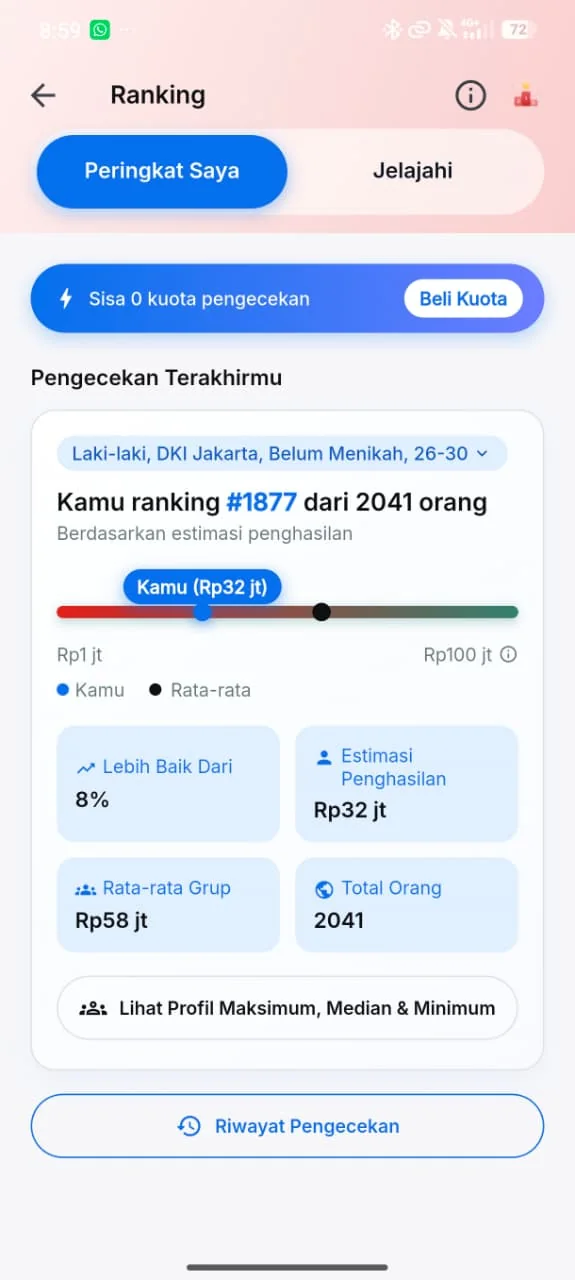
How to read your result
Rank and group size show your position and how many people are in the comparison.
Lebih Baik Dari shows the percentage of the group you ranked ahead of.
Group average gives you a reference point for comparing your score.
Explore other comparisons
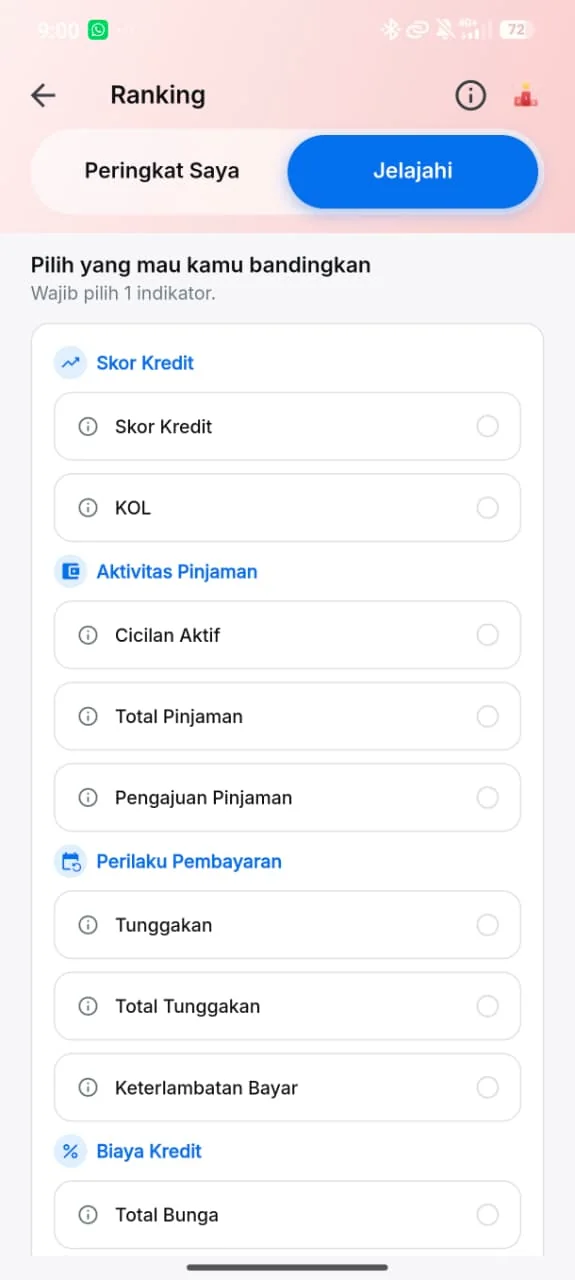
Choose what to compare
In Jelajahi, pick one indicator to compare, from credit score and KOL to active installments and total arrears.
- Credit score
- KOL
- Active installments
- Total loans
- Arrears
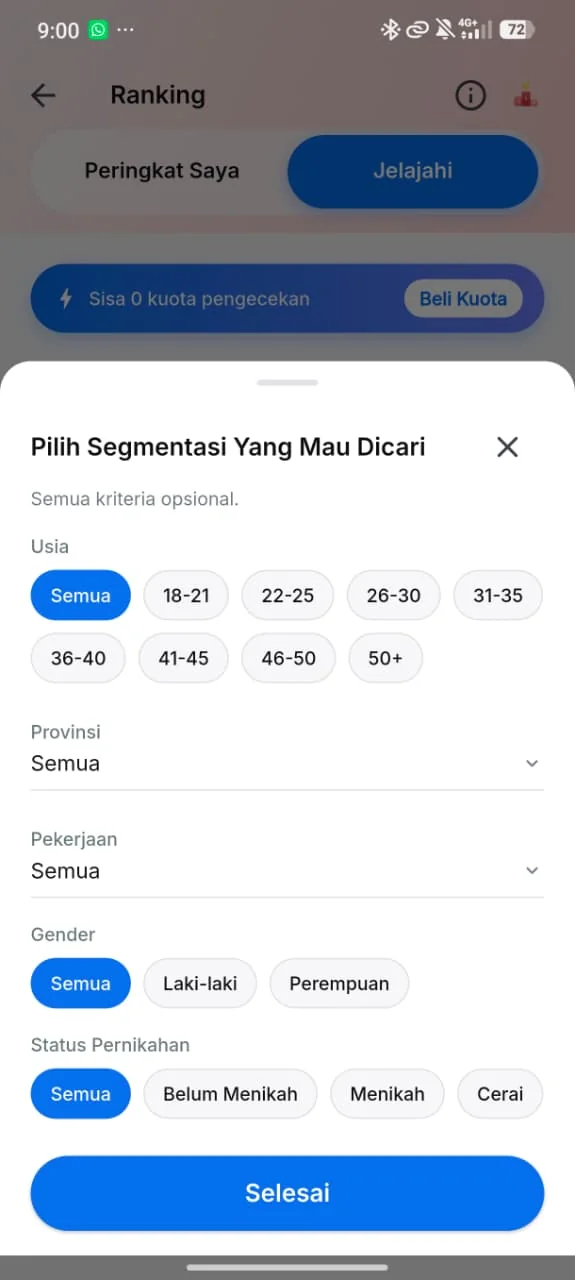
Set the comparison group
Choose what kind of people you want to compare with. Every criterion is optional.
- Age
- Province
- Occupation
- Gender
- Marital status
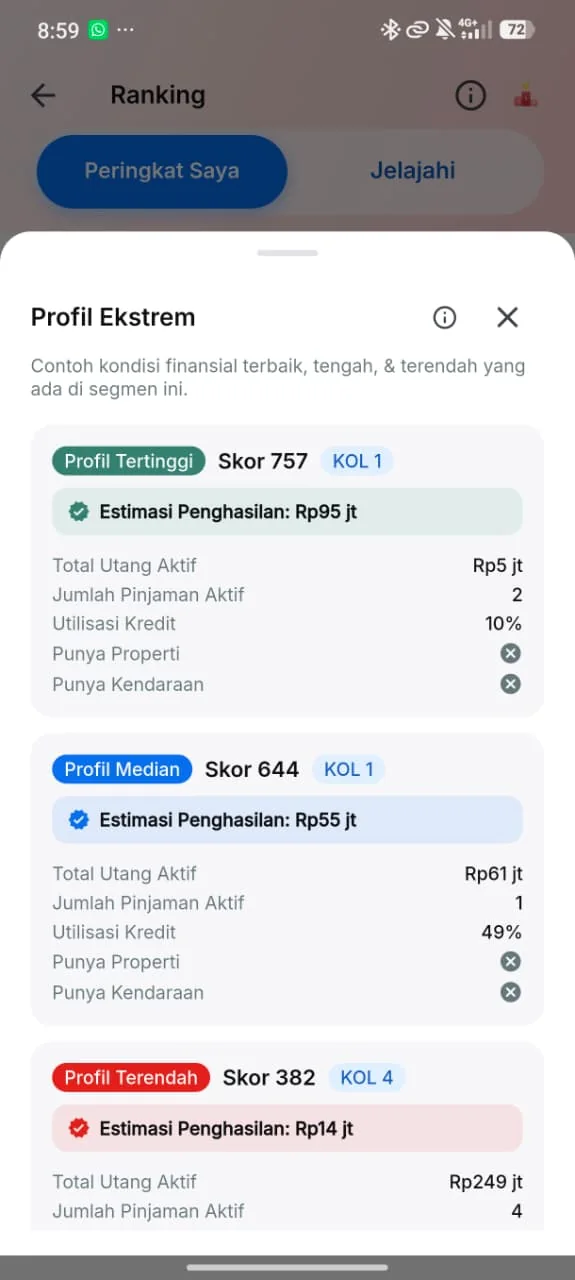
Peek at the extreme profiles
See example financial conditions at the top, the middle and the bottom of your group.
- Top profile
- Median profile
- Lowest profile
Check history
Revisit a previous result as it appeared when you ran the check.